1. Create Python Virtual Environment
2. Install required Python packages
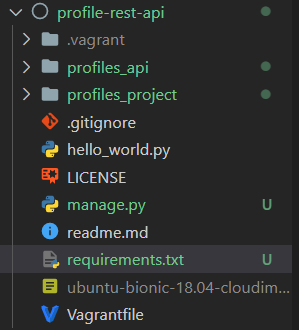
3. Create new Django project & app
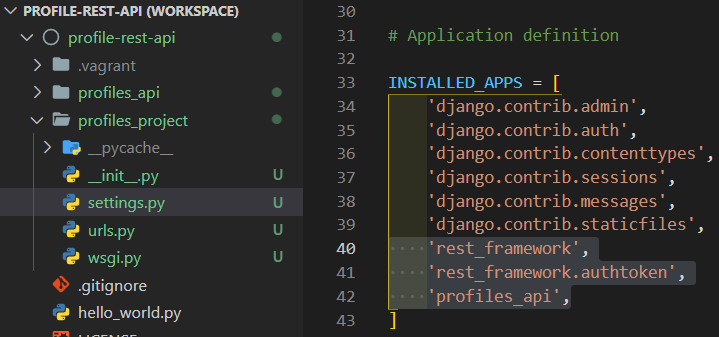
4. Enable app in Django settings file
5. Test and commit
1. Create Python Virtual Environment
vagrant develop server에 virtual environment 설정하기
(1) pipenv 사용법
https://python-guide.readthedocs.io/en/latest/dev/virtualenvs/
Pipenv & Virtual Environments — The Hitchhiker's Guide to Python
docs.python-guide.org
(2) 실습

- -m mod : run library module as a script (terminates option list)
- venv 사용법: venv [-h] [--system-site-packages] [--symlinks | --copies] [--clear] [--upgrade] [--without-pip] [--prompt PROMPT] ENV_DIR [ENV_DIR ...]
ENV_DIR을 ~/env로 해주는 이유: vagrant server의 env파일이 저장되는 디렉토리는 local machine과 synchronized 되지 말아야한다.
왜냐하면 vagrant server를 새로 만드는 경우가 생길 때 env 디렉토리는 local machine과 분리 시켜야 깨끗한 상태에서 시작할 수 있기 때문이다.

2. Install required Python packages
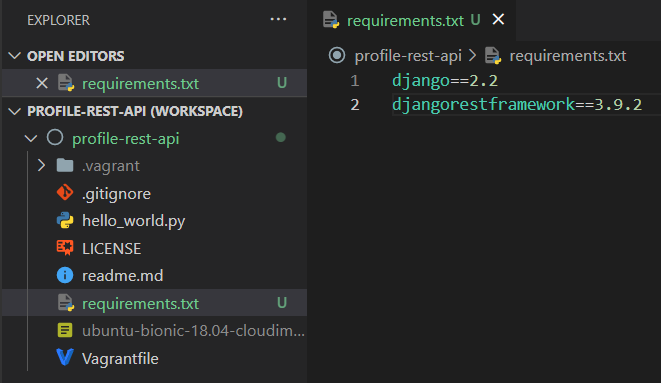
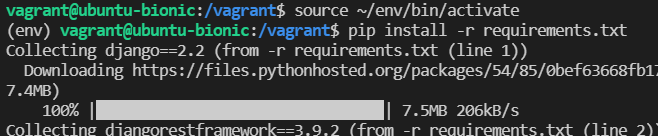
목표: django와 django rest framework 설치하기
(1) requirements.txt 작성
(2) 설치하기
3. Create new Django project & app

4. Enable app in Django settings file
5. Test and commit
(1) 서버실행
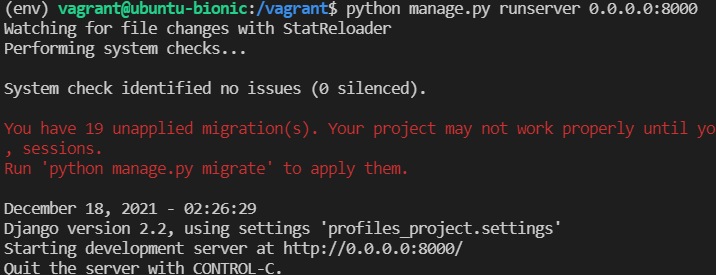
port 8000으로 실행하는 이유: Vagrantfile 에서 guest를 port 8000으로 열어뒀기 때문
(2) 서버 접속
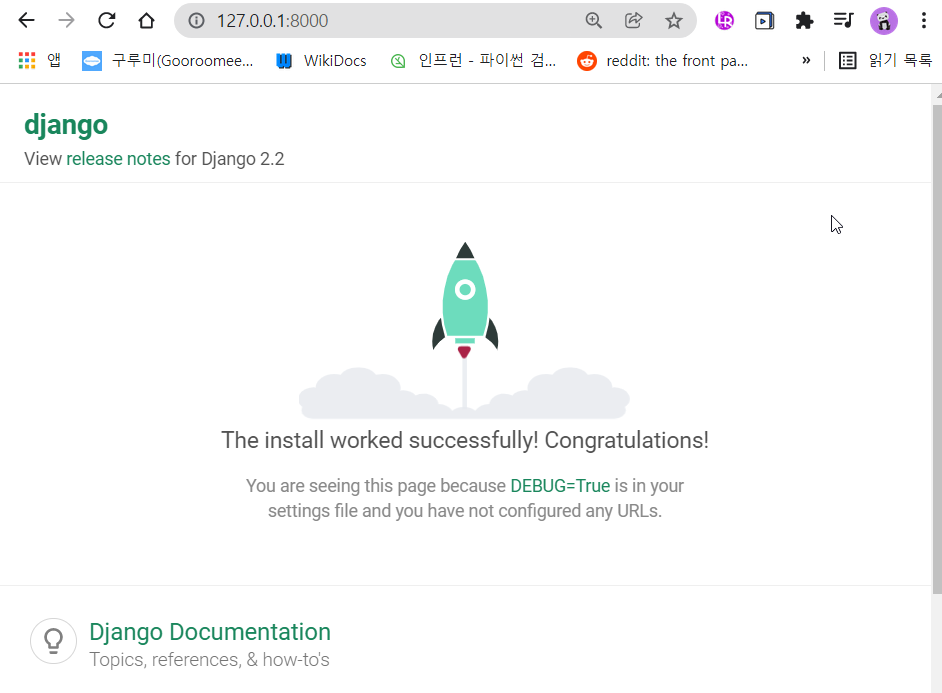
127.0.0.1:8000 으로 접속하는 이유: Vagrantfile 에서 guest port 8000을 host port 8000으로 연결해뒀기 때문
(3) commit

'BE > Python & Django REST API' 카테고리의 다른 글
| [Django REST API] 7. Setup Django Admin (0) | 2021.12.18 |
|---|---|
| [Django REST API] 6. Setup the Database (0) | 2021.12.18 |
| [Django REST API] 4. Creating a development server (0) | 2021.12.17 |
| [Django REST API] 3. Setting up project (0) | 2021.12.16 |
| [Django REST API] 2. cheat-sheet (0) | 2021.12.16 |


댓글