1. workspace 만들기
생략
2. Git project 만들기
git init
(1) readme.md 만들기
github markdown cheatsheet
https://github.com/adam-p/markdown-here/wiki/Markdown-Cheatsheet
GitHub - adam-p/markdown-here: Google Chrome, Firefox, and Thunderbird extension that lets you write email in Markdown and rende
Google Chrome, Firefox, and Thunderbird extension that lets you write email in Markdown and render it before sending. - GitHub - adam-p/markdown-here: Google Chrome, Firefox, and Thunderbird extens...
github.com
(2) .gitingnore 만들기
python, vagrant 프로젝트를 위한 standard gitignore 파일
https://gist.github.com/LondonAppDev/dd166e24f69db4404102161df02a63ff
Python .gitignore
Python .gitignore. GitHub Gist: instantly share code, notes, and snippets.
gist.github.com
(3) LICENSE 만들기
mit license
https://choosealicense.com/licenses/mit/
MIT License
A short and simple permissive license with conditions only requiring preservation of copyright and license notices. Licensed works, modifications, and larger works may be distributed under different terms and without source code.
choosealicense.com
3. GitHub push 하기
(1) public/private key 만들기
<1>ssh directory에 key 있는 지 확인하기
ssh directory는시스템의 public/private key가 저장되는 곳이다. 맥을쓰거나, git bash로 windows를 쓰고 있다면 ~/.ssh로 접근가능하다.


<2> key 만들기
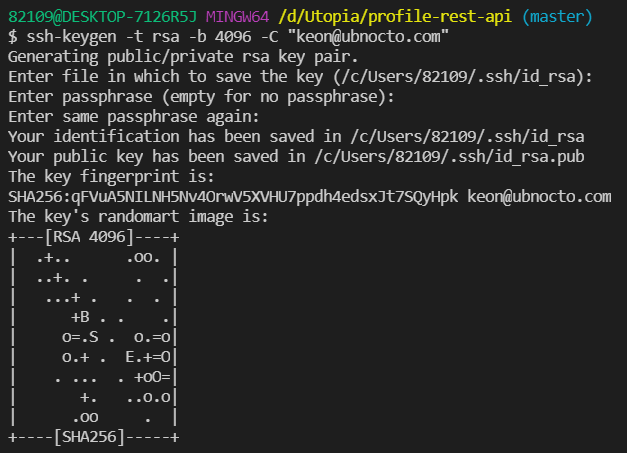
-t rsa: rsa type으로 key를 만듦
-b 4096: 파일크기는 496byte
-C "keon@ubnocto.com": 이 키의 코멘트
(/c/Users/82019/.ssh/id_rsa): 키가 저장되는 기본적인 폴더
passphrase: 보안을 높이기 위해 하나의 보안 layer를 쌓는 것이지. 실습에선 생략
<3> 생성된 key 확인

id_rsa: private key. 나만 볼 것!
id_rsa.pub: public key. authenticate를 위해 깃허브에 업로드 해도 됨.
(2) github에 key등록

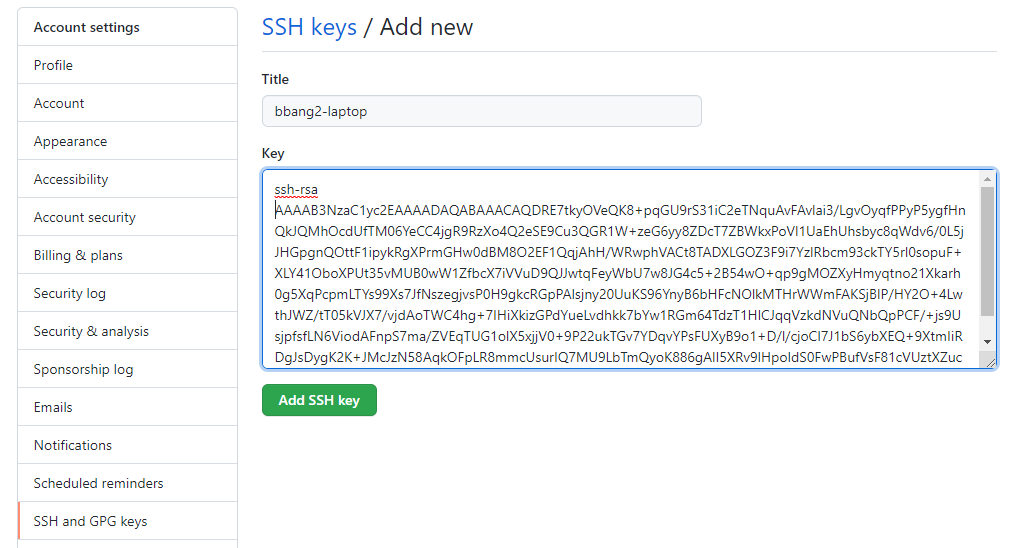
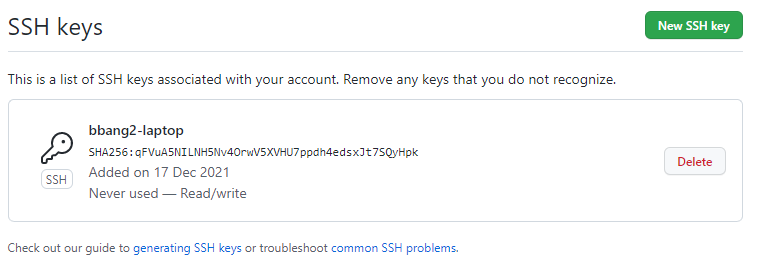
(3) repository 생성(생략)
(4) push
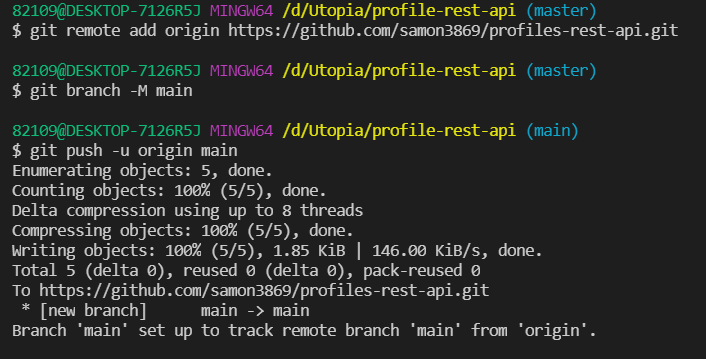
git remote add origin ~ : remote repository를 origin 이라는 이름으로 등록
git branch -M main: 현재 브랜치 이름을 main으로 변경
git push -u origin main: origin remote repository에 main branch를 푸쉬하고, -u를 통해 앞으로 main branch의 푸쉬는 따로 말하지 않아도 전부 origin으로 upstream한다고 설정해줌.
'BE > Python & Django REST API' 카테고리의 다른 글
| [Django REST API] 6. Setup the Database (0) | 2021.12.18 |
|---|---|
| [Django REST API] 5. Creating a Django app (0) | 2021.12.18 |
| [Django REST API] 4. Creating a development server (0) | 2021.12.17 |
| [Django REST API] 2. cheat-sheet (0) | 2021.12.16 |
| [Django REST API] 1. 개요 (0) | 2021.12.16 |


댓글