1. NGINX systemd service로 추가하기
(1) systemd란?
2021.12.03 - [리눅스] - 1. 'init'와 'systemd'
(2) NGINX 기본 커맨드 연습
<1> NGINX 열려있는 지 확인

<2> NGINX 멈추기
1. nginx 명령어 보기
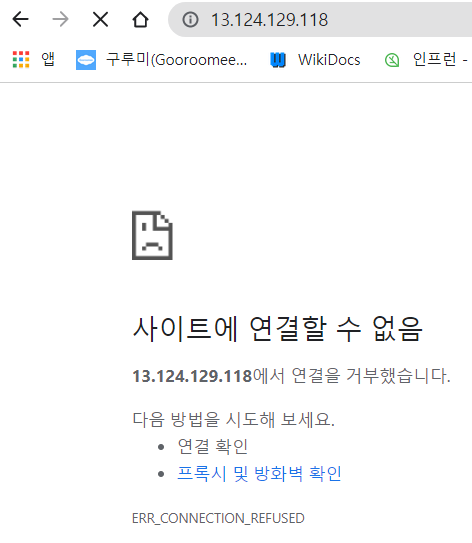
2. 명령어 참고하여 nginx 멈추고 ps 상태보기 url로 확인해도 nginx가 멈췄음을 알 수 있다


(3) systemd service에 NGINX 추가하기 위해 script 쓰기
<1> 아래 공식페이지에서 시키는 대로하기https://www.nginx.com/resources/wiki/start/topics/examples/systemd/
NGINX systemd service file | NGINX
NGINX systemd service file Should work on Fedora, OpenSUSE, Arch Linux, Ubuntu. Tested on Fedora 16 and 17, Ubuntu 18.04 . The location of the PIDFile and the NGINX binary may be different depending on how NGINX was compiled. Save this file as /lib/systemd
www.nginx.com
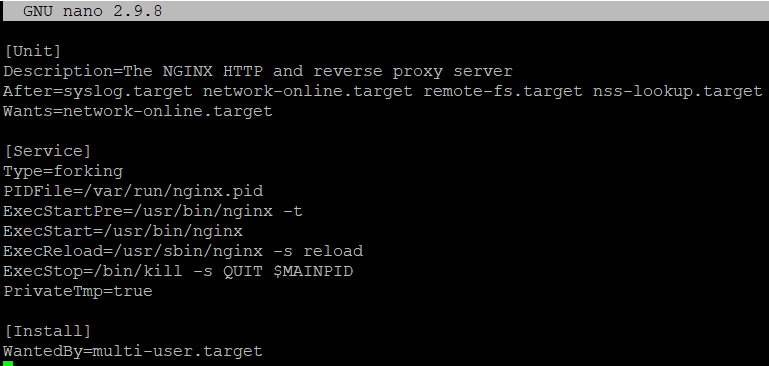
1. 지정한 위치에 파일을 만들고 2. 적으라는 내용을 적는다
3. 내 상황에 맞게 수정할 부분을 찾아서 4. 수정해준다

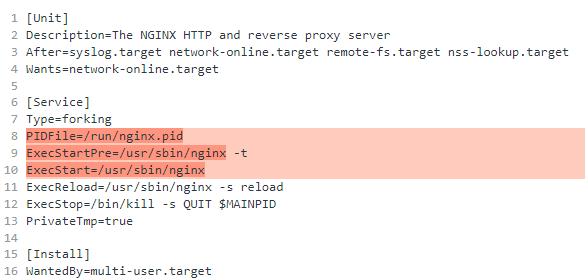
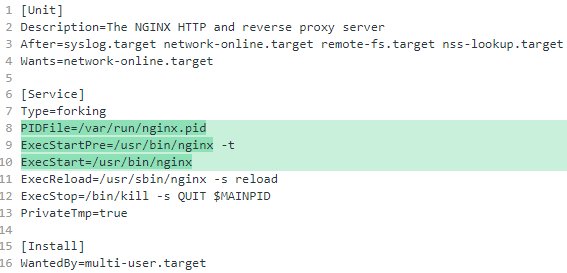
(4) 이제 systemd에 service가 등록된 상태이다. systemd를 이용하여 nginx를 실행해보자
1. 시작하고 ps 상태보기 2. systemd에 등록했기 때문에 systemd 명령어로도 상태를 볼 수 있다. 내용이 더 자세하다.

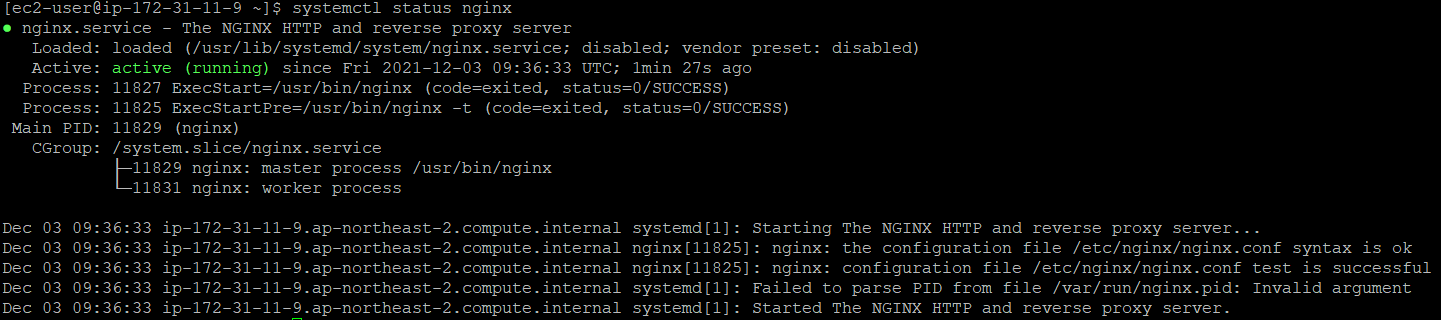
(5) systemd를 이용하여 niginx 멈추기

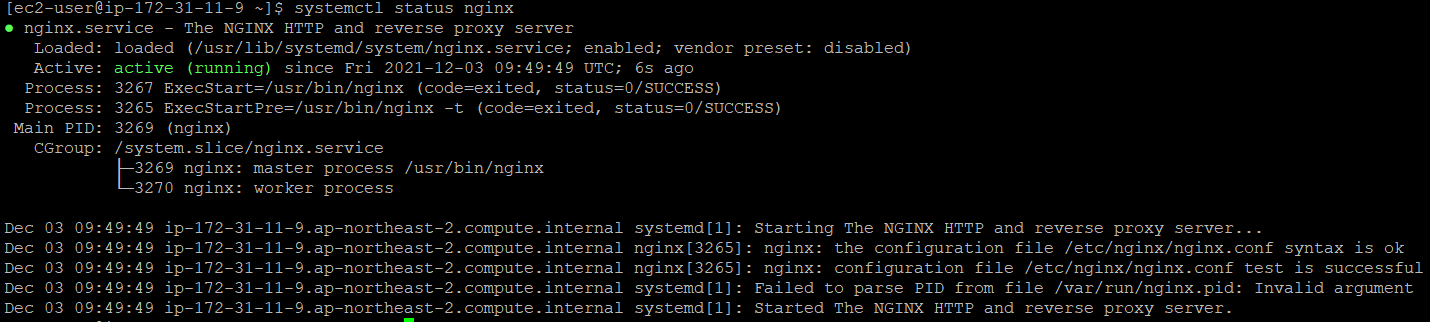
(6) 부팅시에 niginx 자동으로 켜지게 설정하기

(7) reboot 하여 확인하기

'Tool > Nginx' 카테고리의 다른 글
| [NGINX] 3-3. Configuration-Variables 사용하기 (0) | 2021.12.18 |
|---|---|
| [NGINX] 3-2. Configuration -Location blocks 사용하기 (0) | 2021.12.18 |
| [NGINX] 3-1. Configuration-Virtual Host 띄우기 (0) | 2021.12.18 |
| [NGINX] 2-1. Installation- (0) | 2021.12.18 |
| [NGINX] 1. 'NGINX' vs 'Apache' (0) | 2021.12.03 |


댓글